Monitor Website Changes

One step to unlock notifications

Pin the extension to your toolbar so you don't miss any page changes.
1
2
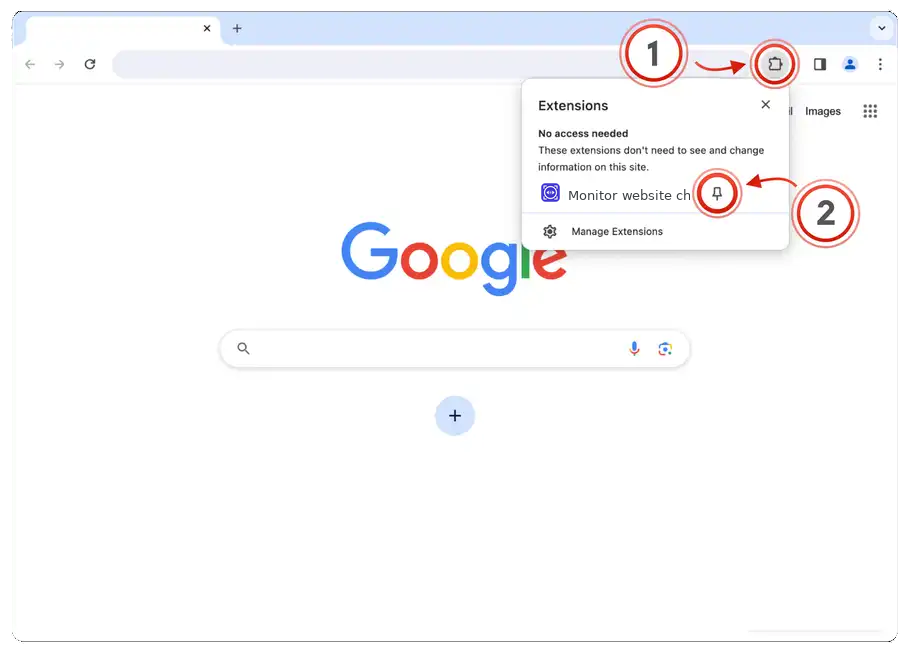
Click the extensions icon, then pin Monitor Website Changes
Open the extensions menu (puzzle piece) in your Chrome toolbar and click the pin icon next to Monitor Website Changes.
Click extensions icon and pin the extension
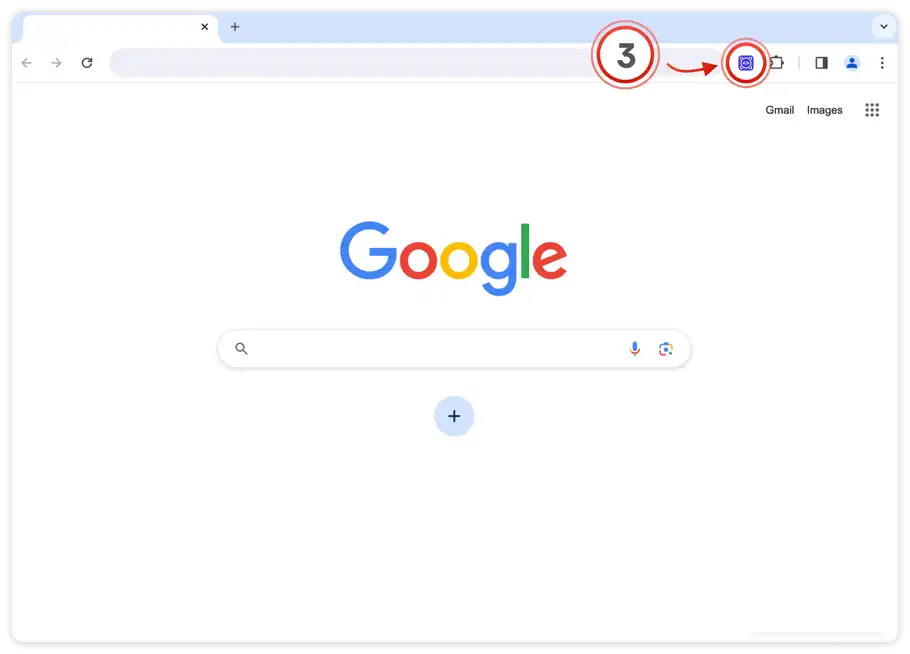
3
Click the icon to open the extension
The Monitor Website Changes icon is now pinned. Click it to start monitoring any page.
Click the pinned extension icon

You're all set

Right-click any element on a page and choose "Watch this item" to get started.